
Authentication
Authentication starts in the TUI
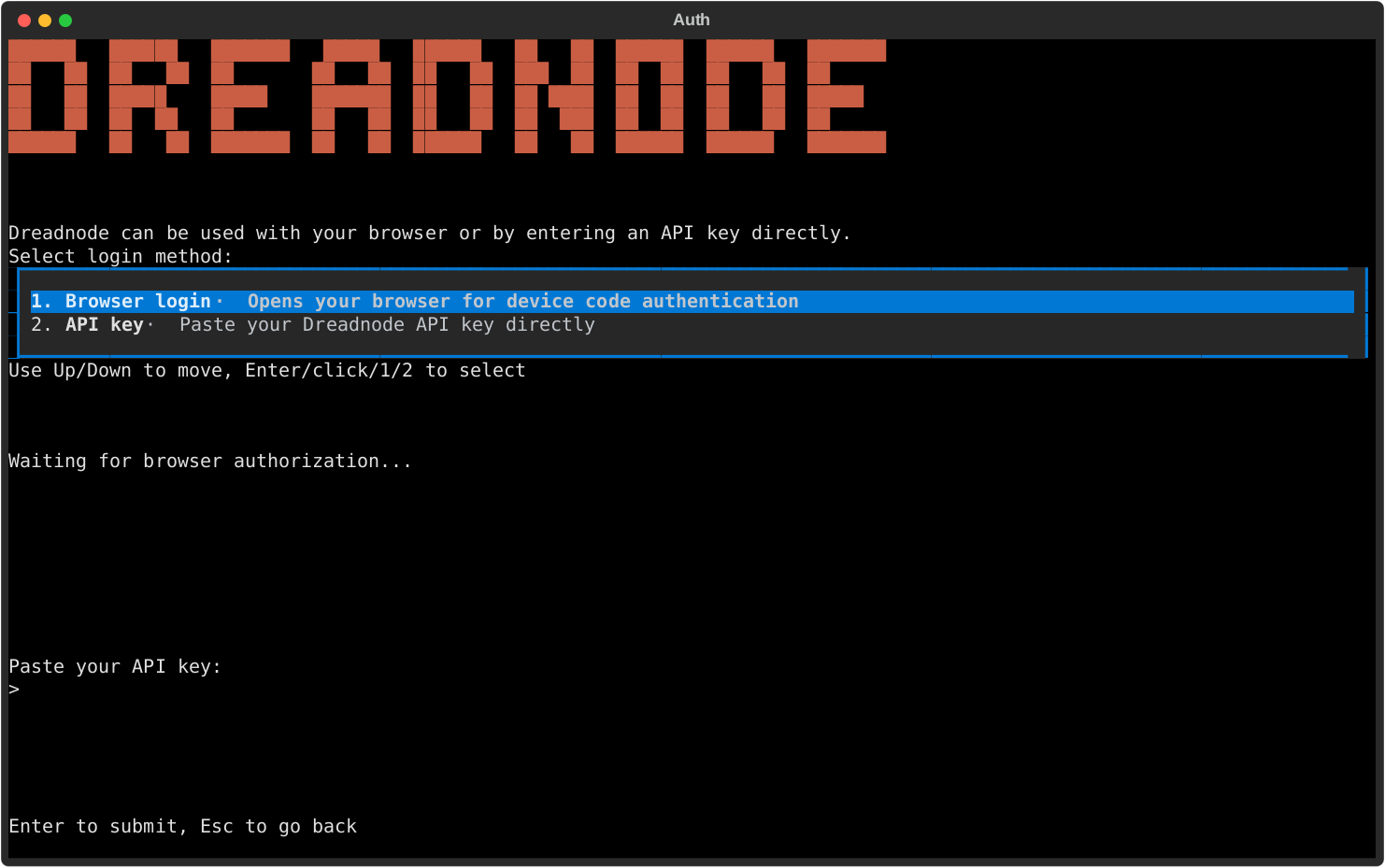
Section titled “Authentication starts in the TUI”When you launch dreadnode for the first time, Dreadnode opens an authentication modal before it starts your first session.
You will need a Dreadnode platform account to use the hosted experience. New accounts receive free starter credits.
Login methods
Section titled “Login methods”The auth modal gives you two choices:
- Browser login - the recommended path for most operators.
- API key - paste a Dreadnode API key directly into the TUI.
After login, Dreadnode stores your active profile under ~/.dreadnode and starts the TUI normally.
Re-authenticate from inside the TUI
Section titled “Re-authenticate from inside the TUI”If you need to switch accounts, refresh auth, or log into a different platform profile, run:
/loginVerify provider presets
Section titled “Verify provider presets”Open /secrets to inspect which provider presets and secrets the runtime can see.
This is the main TUI surface for confirming whether BYOK models are ready to use.
ANTHROPIC_API_KEYOPENAI_API_KEY- other provider-backed presets exposed by your runtime
CLI login is secondary
Section titled “CLI login is secondary”If you want to save a profile before launching the TUI, you can still use the CLI:
dreadnode logindreadnode login <api-key>dreadnode login --server http://localhost:3000