
Capabilities
Open the capability manager
Section titled “Open the capability manager”Press Ctrl+P to browse capabilities from inside the TUI.
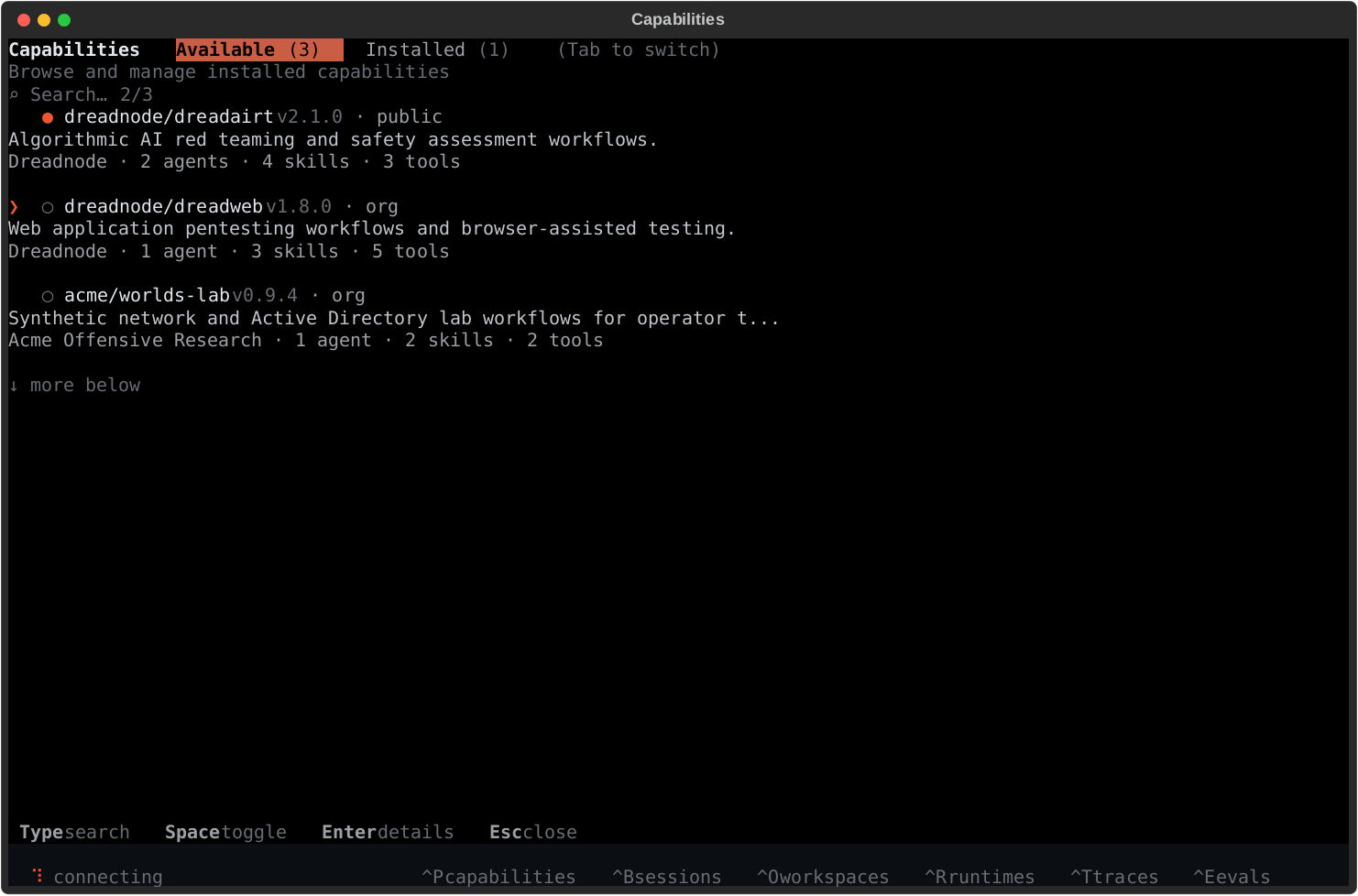
What capabilities add
Section titled “What capabilities add”Capabilities are the fastest way to make the TUI more useful because they can add:
- offensive security agents
- bundled skills
- tool access
- workflows for AI red teaming, pentesting, vuln research, and security testing
Built-in examples include dreadairt for AI red teaming and dreadweb for web application pentesting.
Installed vs available
Section titled “Installed vs available”The screen has two primary tabs:
- Available - capabilities you can install for the active runtime
- Installed - capabilities currently visible to the active runtime
The manager is runtime-aware:
- local runtime - machine-scoped installs under
~/.dreadnode/capabilities/ - sandbox runtime - project-scoped installs attached to the active runtime
Typical flow
Section titled “Typical flow”- open the manager with
Ctrl+Por/capabilities - browse
Available - press
Enterfor detail and install actions - switch to
Installedto enable, disable, or update what the runtime already has - use
Ctrl+Aor/agent <name>to start working with one of the agents the capability provides
Useful controls
Section titled “Useful controls”Tab- switch tabsEnter- open detail or execute the highlighted actionSpace- toggle installed capabilities when availableEsc- go back or close the screen