
Evaluations
Open the evaluations screen
Section titled “Open the evaluations screen”Press Ctrl+E to open evaluations.
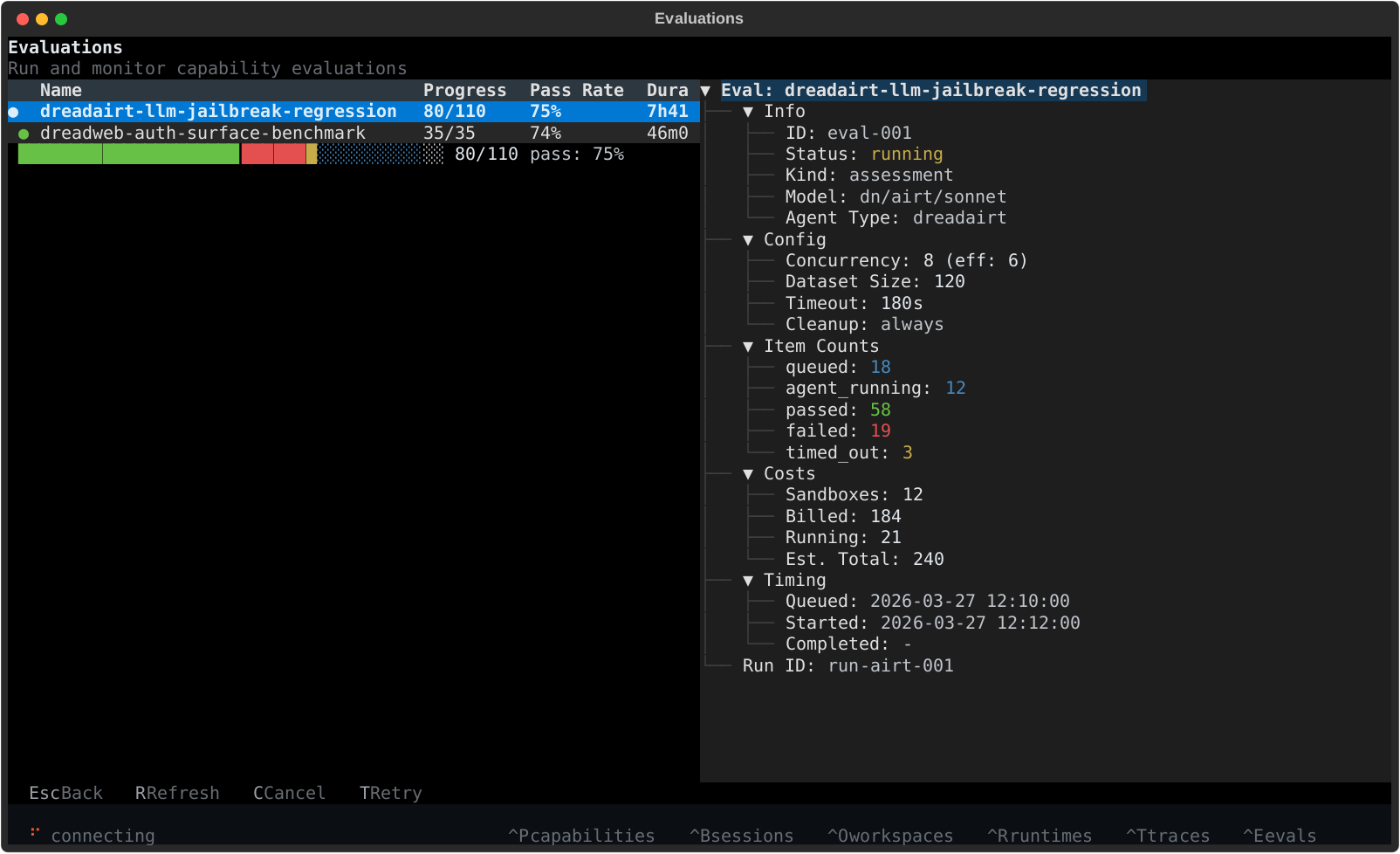
What you see
Section titled “What you see”The evaluations screen is built for monitoring runs without leaving the TUI.
- left side - the job table with status, progress, pass rate, duration, and creation time
- bottom left - a compact progress bar for the selected run
- right side - detailed metadata for the highlighted evaluation
This is the best place to watch AI red team and security evaluation jobs move from queued to running to completed.
Detail view
Section titled “Detail view”The detail panel shows the information you typically want during an evaluation run:
- job status
- model and agent type
- concurrency and dataset size
- item counts across passed, failed, timed out, and in-progress states
- billed and estimated credits
- timing metadata and run id
Useful controls
Section titled “Useful controls”Ctrl+E- open evaluationsr- refreshc- cancel the selected evaluationt- retry the selected evaluationEsc- close the screen
You can also open the screen with /evaluations.