
Models and Selection
Open the model picker
Section titled “Open the model picker”Press Ctrl+K from the TUI to open the model picker.
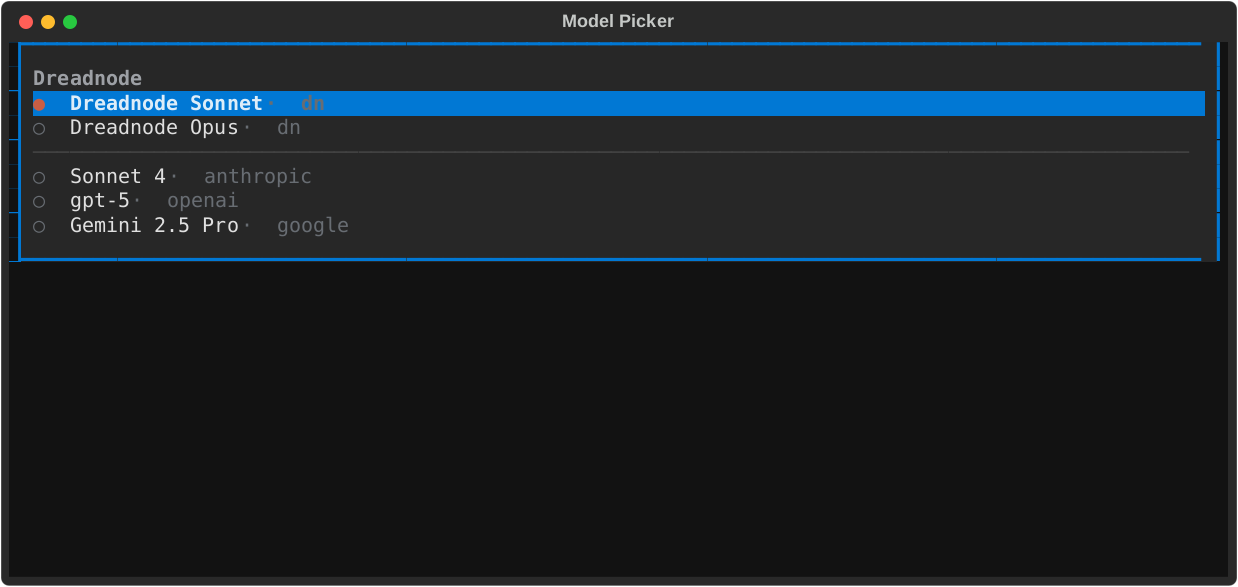
Choose the right model path
Section titled “Choose the right model path”dn/...models - the fastest hosted Dreadnode path- provider models - use Anthropic, OpenAI, and other configured providers through BYOK credentials
For offensive security and AI red team workflows, the model picker is the fastest way to swap between hosted Dreadnode models and provider-backed experiments without leaving the TUI.
How selection works
Section titled “How selection works”Model selection applies to future turns in the current TUI process.
- switching sessions in the same TUI restores that session’s local model choice
- restarting the TUI restores your last explicit default model for new sessions
- agent-specific model settings still win when an agent is configured with its own model
TUI-first controls
Section titled “TUI-first controls”Ctrl+K- open the model picker/model <provider/model>- set the active model directly/models- open or refresh the model list from the command surface
BYOK readiness
Section titled “BYOK readiness”If a provider model is missing or not usable, open /secrets and verify that the expected provider preset is configured before trying again.