
Self-Hosting
Deploy Dreadnode on your own infrastructure with a Replicated enterprise license.
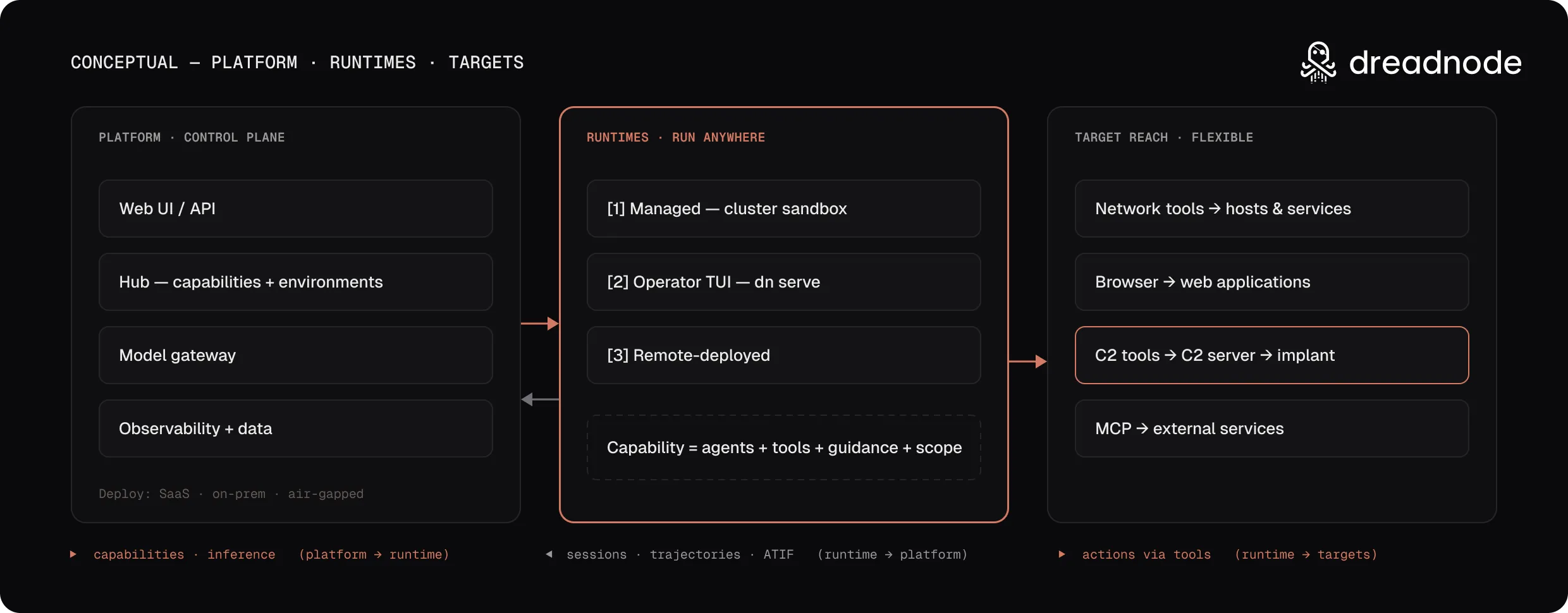
Dreadnode ships as a Helm chart distributed through the Replicated vendor platform. You install it on your own Kubernetes cluster or on a fresh VM — the platform, data stores, and sandbox runtime all run inside your infrastructure.
Licensing
Section titled “Licensing”Dreadnode, Inc. licenses the platform images (api, frontend, docs) and the Helm charts under
your enterprise license agreement. Some components are open source and keep their own license:
| Component | License |
|---|---|
Dreadnode SDK (dreadnode on PyPI) and the agent runtime image | Apache-2.0 |
| OpenSandbox server and egress images | Apache-2.0 |
| LiteLLM image (upstream LiteLLM, enterprise package removed) | MIT |
Each image states its license in the org.opencontainers.image.licenses label. The agent runtime
image ships third-party tool licenses in /usr/share/licenses/.
How this section is organized
Section titled “How this section is organized”The work splits into six phases. The middle three matter most, because each one is a different plane — a setting changed on one plane does not change the others.
| Phase | What it covers | Where the change lands |
|---|---|---|
| Plan | Topology, ports, network requirements, install-path choice | Nothing yet |
| Install | Getting a running cluster | Your cluster |
| Set up | Run-once steps after pods are Ready | Mixed — mostly in-product |
| Configure | Domain, TLS, data stores, sandboxes, auth, logging | Helm values, Admin Console, or KOTS ConfigValues; restarts pods |
| Administer | Model deployments, credentials, users, organizations, signup rules | The running product; no redeploy |
| Operate | Health, backups, rotation, scaling, upgrades, troubleshooting | Day-2 runbooks |
Read that table as the answer to “where does this setting live?” — the question that costs operators the most time. Configure is declarative and rolls pods. Administer is in-product and takes effect immediately. Operate is what you do to a deployment that is already correct.
Start here if a security review or a network change has to happen before the install does.
Install
Section titled “Install”Helm CLI is the right choice when you already run Kubernetes and manage your own ingress
controller, DNS, and TLS. You pull the chart from the Replicated registry, pass a values overlay,
and run helm install.
Embedded Cluster is the right choice when you want a single VM with everything bundled — k0s, Traefik, storage, and the Admin Console for configuration and updates. One curl, one install command, done.
Both paths use the same chart and produce the same running platform. The difference is who manages
the cluster: you (Helm) or the installer (Embedded Cluster). Both require three DNS records — the
main hostname, its storage subdomain, and the *.sandbox wildcard that browsers use to reach
sandbox runtimes — and for HTTPS, one certificate covering all three.
Air gap is a variation on both rather than a third path. Images arrive ahead of the install instead of being pulled during it, which changes the prerequisites and adds an entitlement to arrange with us first.
Set up
Section titled “Set up”Pods running is not a finished install. These steps run once, and are identical on both install paths.
Configure
Section titled “Configure”Use a Helm values overlay, Admin Console fields, or a KOTS ConfigValues file. Changing any of these rolls pods. The configuration tabs stay synchronized as you move between pages.
Administer
Section titled “Administer”In-product settings under Admin. They take effect on the running platform — no chart change, no redeploy, same on both install paths.