
Capabilities
Portable bundles of agents, tools, skills, workflows, MCP servers, flags, and workers that extend a Dreadnode runtime.
A capability is a directory that extends a runtime with everything an agent needs to do a job — prompts, tools, skills, MCP servers, background workers, and environment setup. You drop it on disk, push it to the registry, install it from the TUI, and the runtime picks up every piece from one manifest.
threat-hunting/ capability.yaml # manifest agents/triage.md # agent prompts tools/intel.py # Python tools skills/report/SKILL.md # skill packs workflows/review.py # multi-step pipelines .mcp.json # MCP servers workers/bridge.py # background workers scripts/setup.sh # sandbox setupWhat a capability can ship
Section titled “What a capability can ship”| Component | Purpose |
|---|---|
| Agents | Markdown prompts with frontmatter — model, tools, skills |
| Tools | Python functions callable by any agent in the capability |
| Skills | SKILL.md instruction packs loaded on demand |
| MCP servers | External tool servers over stdio or HTTP |
| Flags | Boolean toggles that gate MCP servers and workers |
| Workers | Long-running background components, in-process or subprocess |
| Workflows | Multi-step agent pipelines; the graph is derived from type annotations |
| Policies | Named hook bundles users can swap with /policy <name> |
| Dependencies & checks | Sandbox install scripts and preflight verification |
When to reach for one
Section titled “When to reach for one”Ship a capability when the thing you want to reuse is more than a single tool. One Python function belongs in a plain module; a research workflow with prompts, MCP servers, and a journal worker belongs in a capability.
Capabilities are also the only way to bundle setup for managed sandboxes. If your workflow needs apt install or a setup script run before it works, dependencies: in the manifest is where that lives.
Two paths through these docs
Section titled “Two paths through these docs”Where to find them
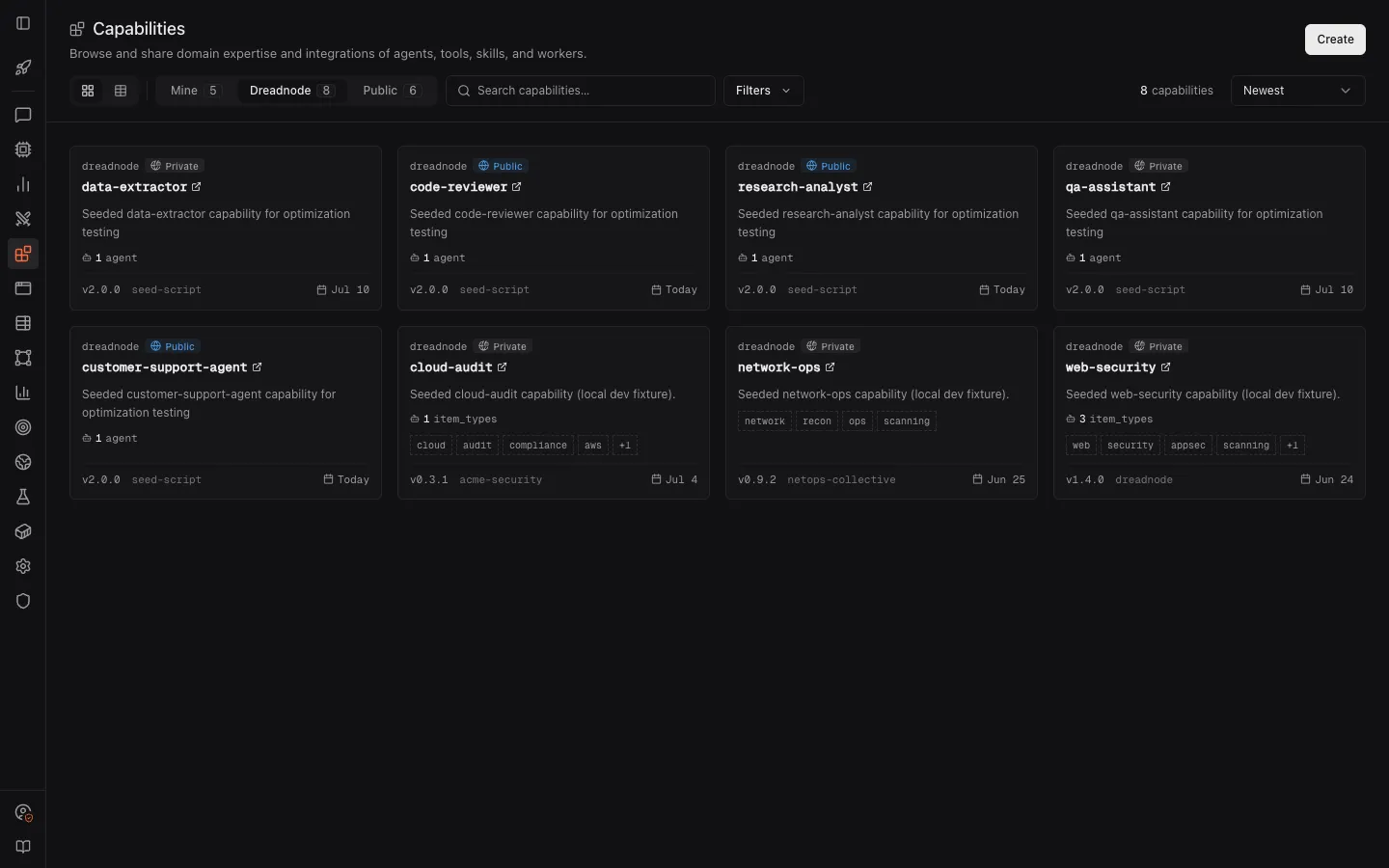
Section titled “Where to find them”Capabilities live in two surfaces. The web catalog (/capabilities) is where you browse what your org has published and what the public directory exposes — grid or table view, filters for author, keyword, and license, and scope tabs that switch between what you created, your whole organization, and public capabilities:
The TUI capability manager (Ctrl+P in dn) is where you install, enable, and operate them on a running runtime. It shows live component status, flag state, and per-capability actions:
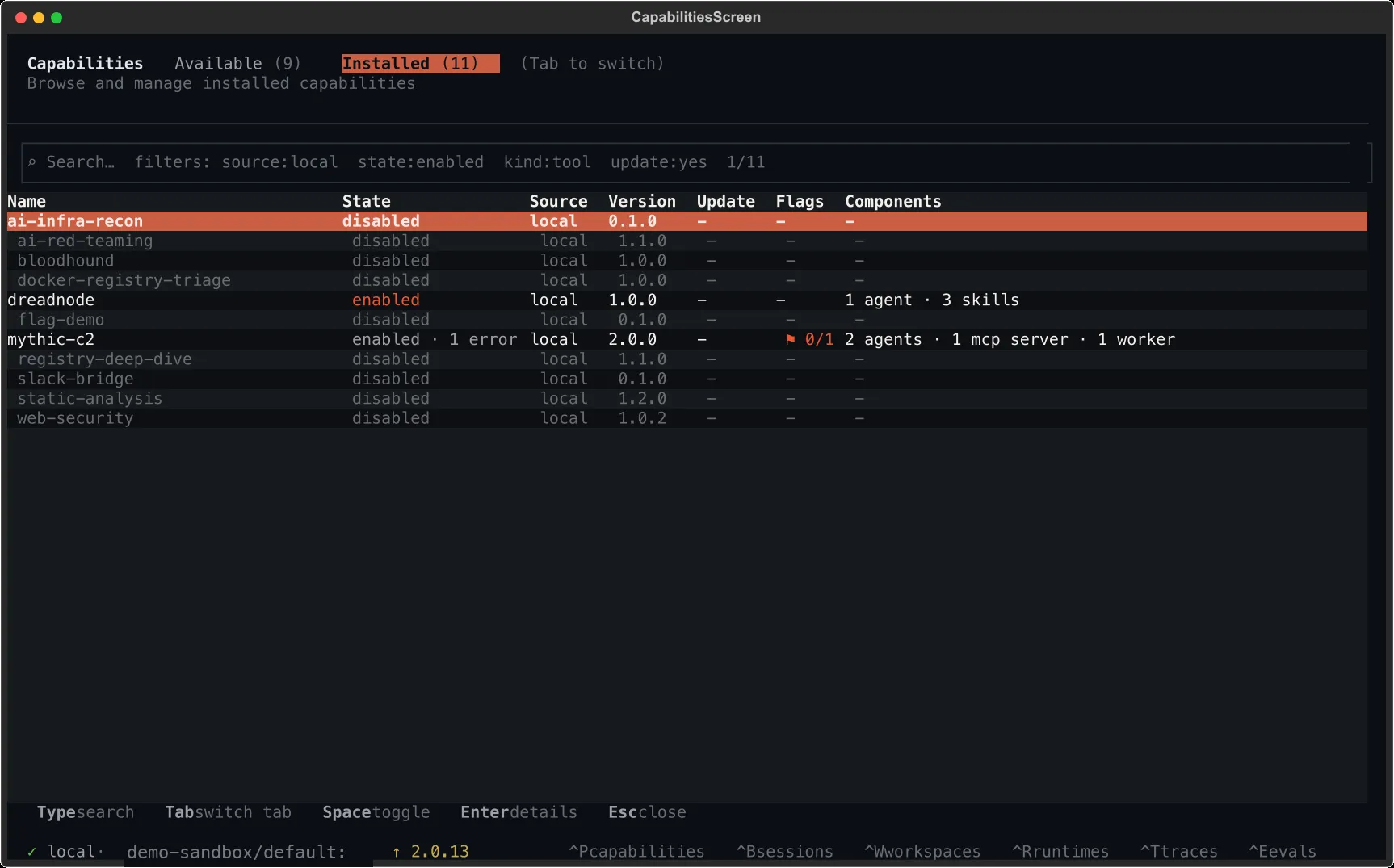
Both surfaces read the same registry, so a capability pushed from the CLI appears in the catalog and is one click away from install.
How capabilities load
Section titled “How capabilities load”When the runtime starts, it walks the capability search path, parses each capability.yaml, runs preflight checks, starts MCP servers and workers, and registers agents and tools. Every component resolves from the same manifest, so changes to one file land consistently everywhere the capability is installed.
discover → parse manifest → validate flags → run checks →start MCP servers → start workers → register agents/toolsA local runtime searches project-local (.dreadnode/capabilities/) first, then user-local (~/.dreadnode/capabilities/), then anything on DREADNODE_CAPABILITY_DIRS. The first match wins on name collisions. A sandbox runtime sees only capabilities synced from your workspace — local search paths are not consulted.