
Outputs
Read a completed training job's artifacts, metrics, and logs — and publish a checkpoint into the Models registry.
A completed training job has three payloads you care about: artifacts (what the trainer produced), metrics (scalar summaries and series), and logs (structured worker events). All three are served from the same job record.
A completed control-plane job is not the same as a useful training result. Always inspect artifacts and metrics before you treat a run as shipped.
Artifacts
Section titled “Artifacts”dn train artifacts <job-id> --jsonThe payload is a JSON object — a free-form map of references the trainer chose to persist. What shows up depends on the trainer.
For an SFT job trained from a Worlds trajectory dataset:
{ "checkpoints": [ "tinker://ffa04fd4-5b6e-5a36-9fb6-f442b22748c2:train:0/sampler_weights/check1-step10", "tinker://ffa04fd4-5b6e-5a36-9fb6-f442b22748c2:train:0/sampler_weights/check2-step20", "tinker://ffa04fd4-5b6e-5a36-9fb6-f442b22748c2:train:0/sampler_weights/final" ],}The App renders this as the Artifacts & refs card on the job’s detail pane:
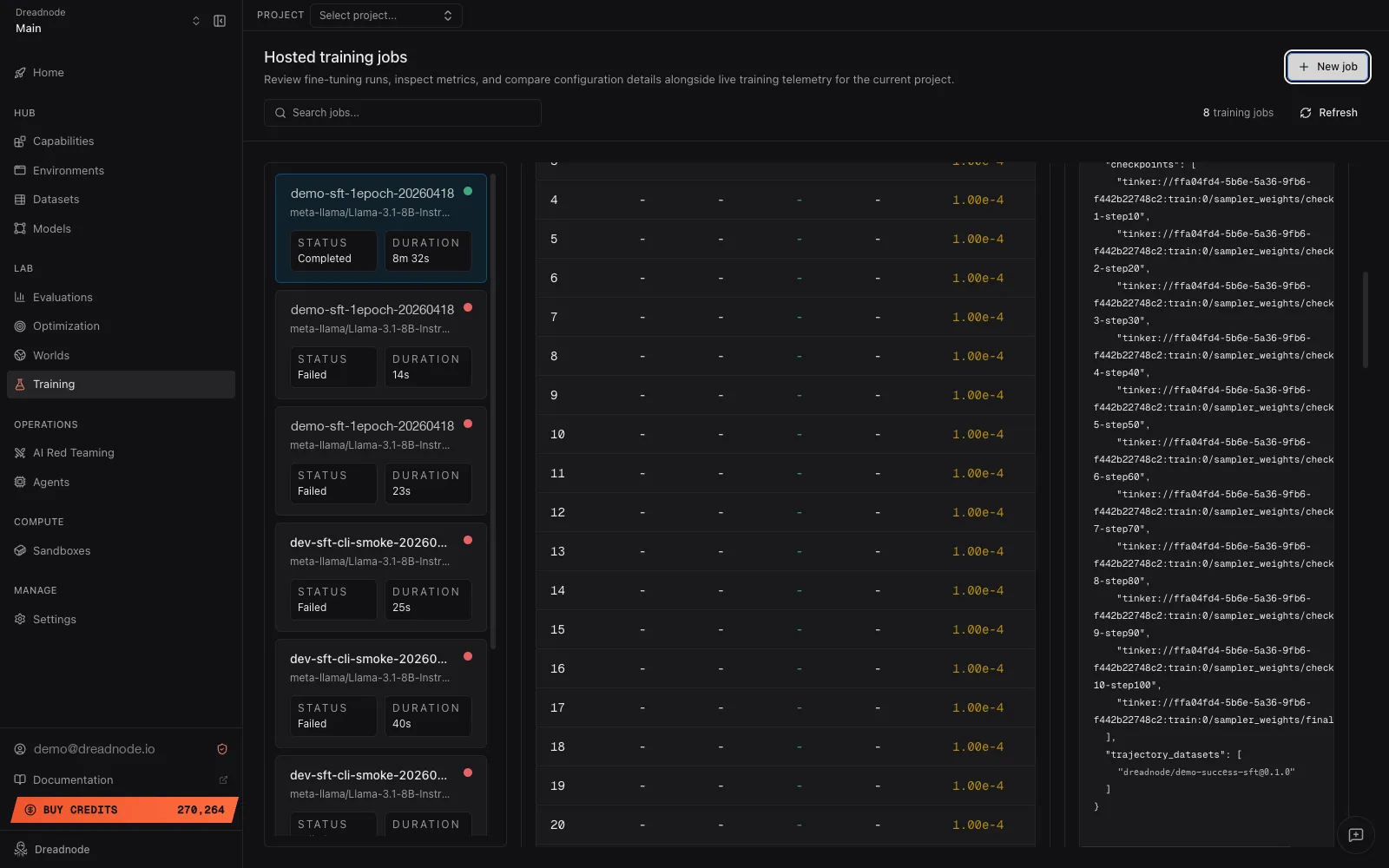
The App strips a handful of internal worker fields — provider_sandbox_id, worker_id,
payload_path, result_path — for display. dn train artifacts <job-id> --json and the SDK
return the unfiltered dict, so expect sandbox_id, provider_sandbox_id, payload_path, and
result_path alongside the references shown above. SFT runs trained from a normal supervised
dataset additionally carry the resolved dataset ref.
For an RL job (prompt-dataset + task verifier example):
{ "execution_mode": "fully_async", "checkpoints": ["tinker://.../sampler_weights/check1-step10"], "prompt_dataset": "seed-prompts@sqli-v1", "task": "security-mutillidae-sqli-login-bypass"}Worlds-backed RL also carries world_manifest_id, world_server_url,
world_sampled_dataset_ref (when the job pre-samples trajectories), and any
trajectory_datasets the job pre-sampled.
Checkpoints
Section titled “Checkpoints”checkpoints is a list of backend-native checkpoint identifiers. Tinker’s
save_weights_for_sampler produces paths of the form
tinker://<run-id>:train:<rank>/sampler_weights/<checkpoint-name>, one per
--checkpoint-interval plus a trailing /final. These are not S3 URLs — they resolve through
Tinker’s own archive service. To pull the weights down as a portable archive, the SDK’s Tinker
trainer fetches the archive URL and emits the downloaded file as a CheckpointSaved artifact
on the current run.
From the SDK
Section titled “From the SDK”artifacts = client.get_training_job_artifacts("acme", "research", job_id)print(artifacts.artifacts)get_training_job_artifacts returns a TrainingJobArtifacts model whose artifacts field is
the same free-form dict the CLI prints.
Metrics
Section titled “Metrics”Metrics are embedded on the full job response — dn train get <job-id> shows them inline, and
the SDK’s get_training_job returns them on the metrics field. The shape varies by trainer.
SFT jobs persist scalar summaries alongside per-step series:
{ "train/steps": 100, "train/num_examples": 5000, "train/num_tokens_processed": 1250000, "train/gradient_accumulation_steps": 1, "train/loss_last": 0.85, "train/loss_mean": 2.1, "train/loss_best": 0.81, "steps": [1, 2, 3, "...", 100], "train_loss": [4.2, 3.9, 3.7, "...", 0.85], "learning_rate": [0.0001, 0.0001, "..."], "val_loss": [null, null, "...", 0.92], "eval/num_examples": 500, "eval/loss": 0.92}The App’s Training view reads these keys directly — steps (or
epochs) for the x-axis, train_loss / val_loss / learning_rate for the rendered charts,
and the scalar train/... / eval/... keys for the summary grid. The accuracy and reward
chart series aren’t emitted by the Tinker trainers today; if a future trainer publishes them,
the corresponding chart appears automatically.
RL jobs persist scalar reward summaries — train/steps, train/num_rollouts,
train/reward_mean, train/reward_max, train/reward_min, plus async-mode bookkeeping. There
is no per-step reward array today, so the App’s Reward chart stays empty for Tinker RL.
dn train logs <job-id>Each entry is a structured record with timestamp, level, message, and an optional data payload. The App renders the same stream as the Live logs panel on the job detail view:
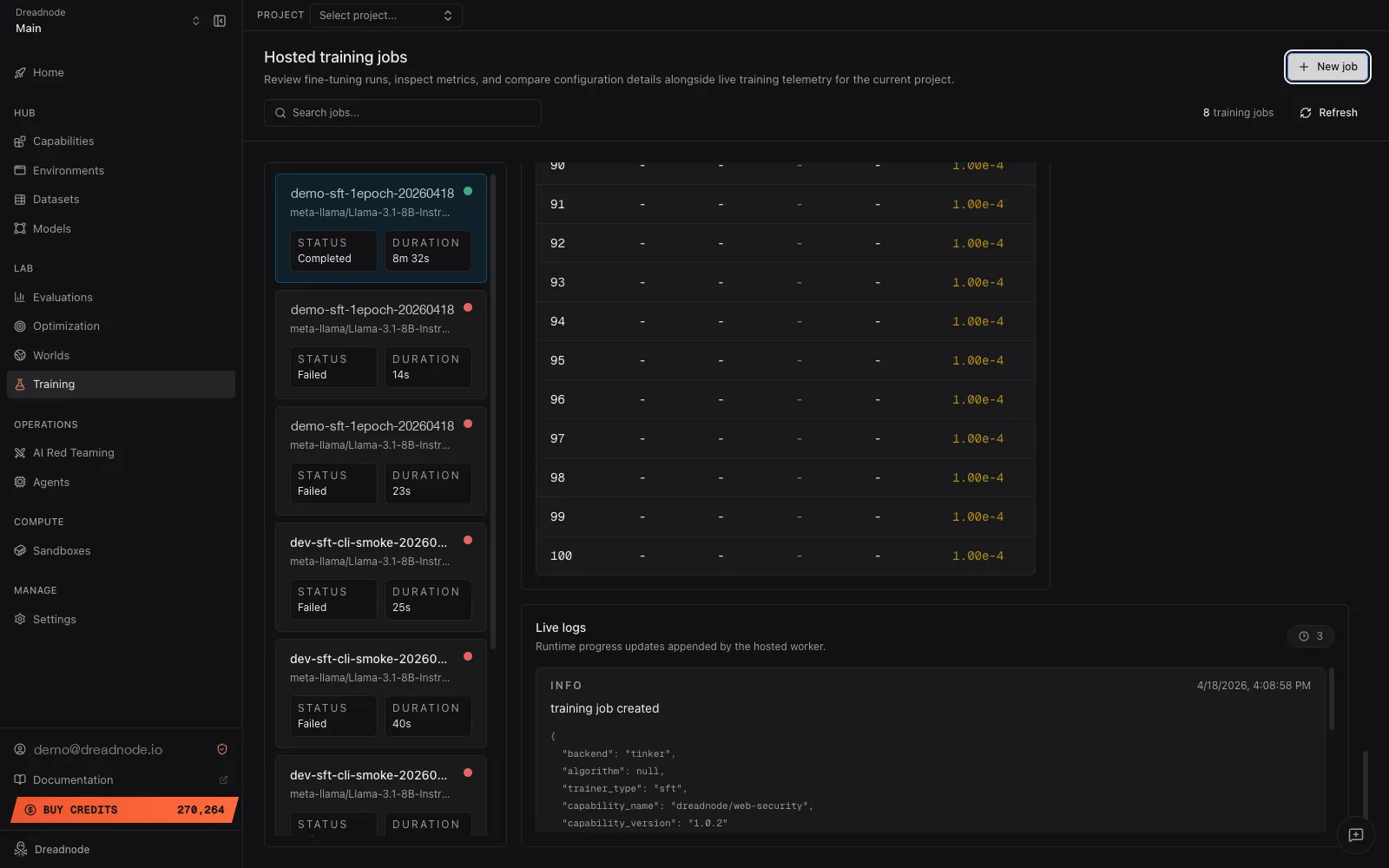
Logs persist on the training-job record alongside the rest of the state. SDK equivalent:
client.list_training_job_logs("acme", "research", job_id).
Logs are the fastest path to a failure root cause — a job that settles to failed with a
sparse top-level error string almost always has the real story in the logs.
Publishing a checkpoint to Models
Section titled “Publishing a checkpoint to Models”There is no dn train publish today. The path from a completed training job to a versioned
model in the Models registry is a few explicit steps:
-
Download the checkpoint. The SDK’s Tinker trainer writes a downloaded archive as a
CheckpointSavedartifact on the current run. Outside of a run context, resolve the checkpoint path through Tinker’s REST client to fetch the archive URL. -
Create a model directory. Lay out the checkpoint files alongside a
model.yamlmanifest. See Models manifest reference for the full shape. -
Push with
dn model push. This packages the directory and uploads it as a versioned artifact:Terminal window dn model push ./my-finetuned-adapter
The SDK equivalent is dn.push_model(path). Pass --publish on either surface to make the
model family discoverable to other organizations in the same tenant.
Where to go next
Section titled “Where to go next”- Running training jobs for the lifecycle commands the outputs belong to.
- Models → Publishing for the full
dn model pushsurface,model.yamlshape, and version semantics.