
Prompts & approvals
When the agent pauses and waits for you — agent questions and (for tool gating) approval prompts.
Agents pause the turn and wait for you in two distinct cases:
- Agent questions — the agent calls
ask_userto ask you something it can’t decide on its own. Single question or a small bundle of related ones. - Permission gates — the runtime intercepts a tool call (e.g.
bash, file writes) and asks you to allow or deny it before the call runs.
Both paths surface as a prompt widget above the composer with the context bar flipped to awaiting …. They are otherwise unrelated — different domains, different shapes.
The composer is disabled while a prompt is active so the answer surface is unambiguous. You can still open other screens, read the backlog, or switch sessions; the prompt stays pinned to the session it came from.
Agent questions (ask_user)
Section titled “Agent questions (ask_user)”When the agent calls ask_user, the prompt widget shows the question (or bundle of questions) directly. Answers come from the widget’s keyboard shortcuts, not the composer.
Pick a framework▶ ● React  ○ Vue  ○ Type something.
↑↓ navigate · Enter select · Esc cancel| Key | Action |
|---|---|
↑ / ↓ | Move between options |
Enter | Pick the highlighted option (single-select) |
Space | Toggle the highlighted option (multi-select) |
Tab / Shift+Tab | Move between questions in a bundle |
Esc | Cancel the prompt entirely |
Selecting Type something. switches the question into input mode — the option list stays visible for reference and an editor appears below it. Enter submits the typed text as the answer.
For multi-question bundles, a tab bar at the top shows progress (■ Stack □ Notes ✓ Submit). Submit activates only when every question is answered.
Drafts persist across session switches
Section titled “Drafts persist across session switches”If you start typing or selecting and then switch to another session, your in-progress answer is preserved when you switch back. The cache lives in the TUI process — it does not survive a TUI restart, and it’s dropped as soon as you submit or cancel.
Cancelling vs answering
Section titled “Cancelling vs answering”Esc (or the Cancel path) raises a structured UserCancelled signal inside the agent’s tool call — the agent sees a clean cancellation it can route on. Nothing is silently submitted; an empty composer no longer means “submit nothing.”
Permission gates (tool approvals)
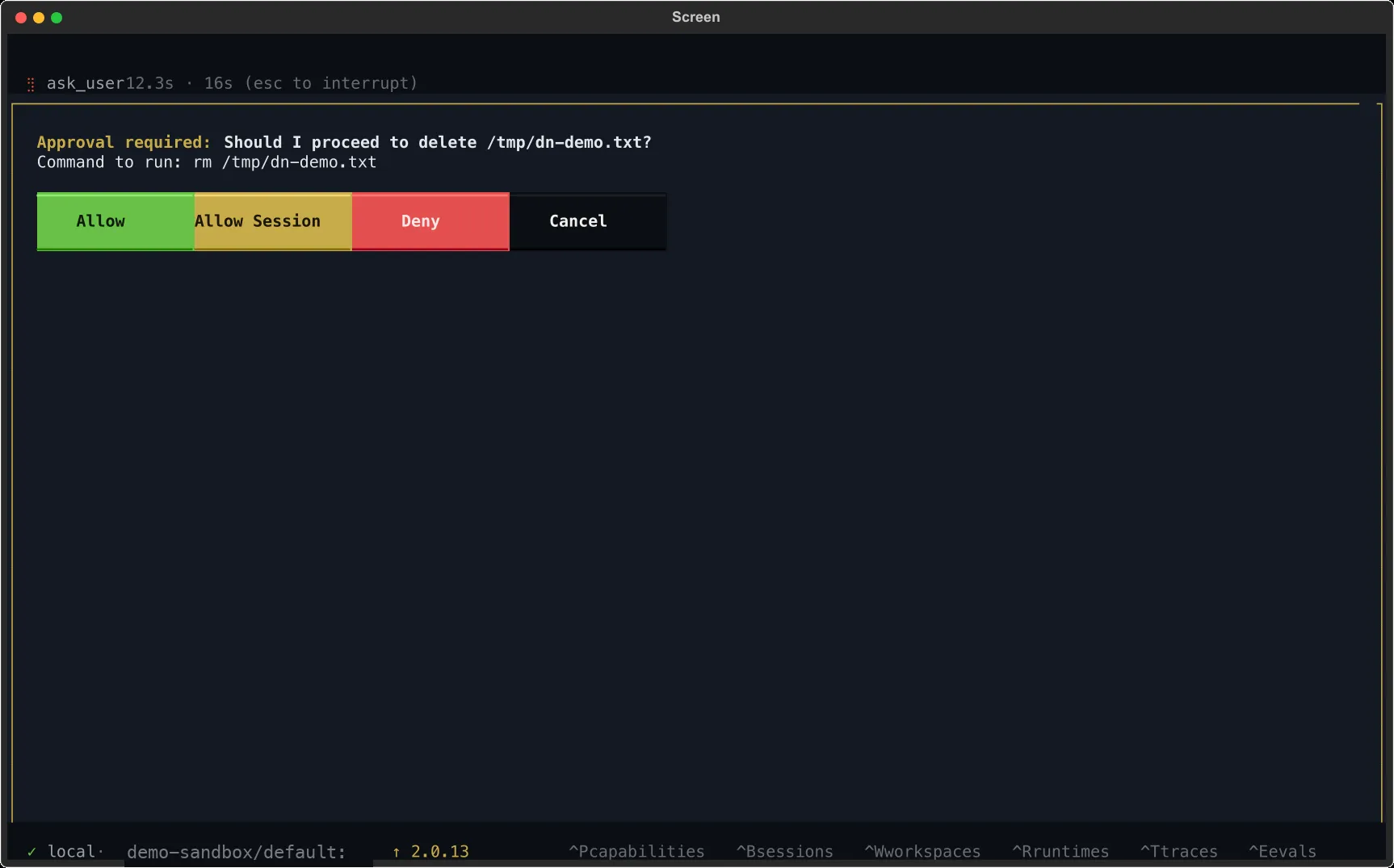
Section titled “Permission gates (tool approvals)”When the runtime intercepts a tool call before it runs, the prompt widget shows three buttons:
| Button | Effect |
|---|---|
Allow | Run this call. The next one for the same tool still prompts. |
Allow Session | Run this call and auto-approve the rest of the session for this tool. |
Deny | Refuse the call. The agent sees the denial and adapts. |
Allow Session covers only the current session — a new session starts clean. There is no persistent always-allow list.
What the agent sees
Section titled “What the agent sees”For agent questions, the answer is fed back to the tool as its return value (selected label, typed text, or — for bundles — a structured per-question summary). For permission gates, Deny is a structured refusal, not an error; the agent reads it on its next step and chooses what to do next.
Autonomous mode
Section titled “Autonomous mode”Under /auto (or any headless policy):
- Agent questions auto-cancel —
ask_userraises aUserCancelledsignal so the agent sees a clean cancellation and either picks a default or abandons the subtask. - Permission gates auto-deny — same denial path the user would take.
Flip back to interactive at any time with /interactive. See Autonomy for policy details.
What if I miss the prompt?
Section titled “What if I miss the prompt?”The session browser (Ctrl+B) flags sessions awaiting you. The context bar shows awaiting … on the active session. Background sessions raise a flash notification when they land on a prompt so you can switch into them.
Prompts don’t time out — a session can sit in awaiting … indefinitely. If you resume a runtime that left a prompt hanging, it’s still there waiting.