
Quickstart
Submit your first hosted SFT job, wait for it to finish, and inspect the outputs.
Run a supervised fine-tuning job from the CLI in a few minutes. This assumes you already have:
- a workspace you can submit jobs into (authentication)
- a published capability that defines the agent you want to adapt
- a published dataset of prompt/response demonstrations
- a base model identifier the training backend can reach
Submit
Section titled “Submit”dn train sft \ --model Qwen/Qwen3-8B \ --steps 100 \ --waitWith --wait, the command blocks until the job reaches a terminal state and exits non-zero on
anything other than completed. Without it, sft prints the job ID and returns immediately —
you poll or open the App to track progress.
Watch it run
Section titled “Watch it run”Three places show progress:
dn train get <job-id> # resolved refs + current status + metricsdn train logs <job-id> # structured worker log entriesThe App’s Training view renders the same job with live loss, accuracy, reward, and learning-rate charts, plus the logs panel and a one-click cancel/retry.
Inspect the output
Section titled “Inspect the output”When the job completes:
dn train artifacts <job-id> --jsonYou’ll get a JSON document with the resolved capability, the checkpoint handles the backend produced, the training dataset reference, and the eval dataset if you passed one. See outputs for the full artifact shape and the manual path to publishing a checkpoint into the Models registry.
What you just ran
Section titled “What you just ran”--modelnames the base model being adapted.--capability NAME@VERSIONpins the policy scaffold — system prompt, instructions, and agent config come from the capability at submission time.--dataset NAME@VERSIONis the supervised corpus. Rows are normalized into chat-formatted conversations before training.--stepscaps the optimizer step count. Pair with--learning-rate,--batch-size,--gradient-accumulation-steps, and--lora-rankwhen you want to tune.--waitturns the submit into a synchronous shell workflow.
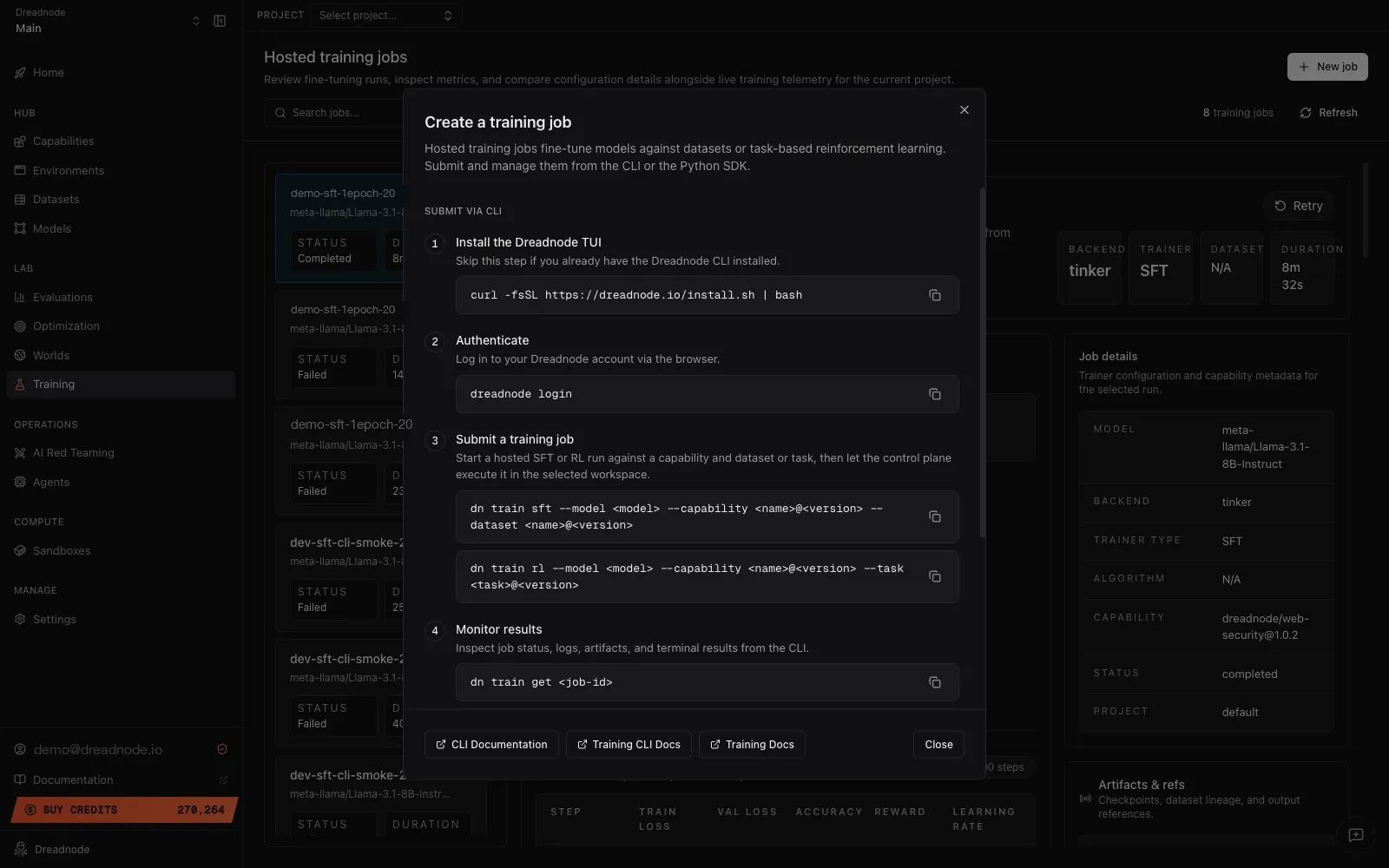
The App’s + New job button on the Training view exposes the same four-step CLI flow as a guided modal, so you can pick up the exact command from there:
Where to go next
Section titled “Where to go next”- Supervised fine-tuning goes deeper on dataset shape, trajectory-backed training, and LoRA tuning.
- Reinforcement learning walks the reward-driven path.
- Running training jobs covers the lifecycle commands in full — list, get, wait, logs, cancel, retry.